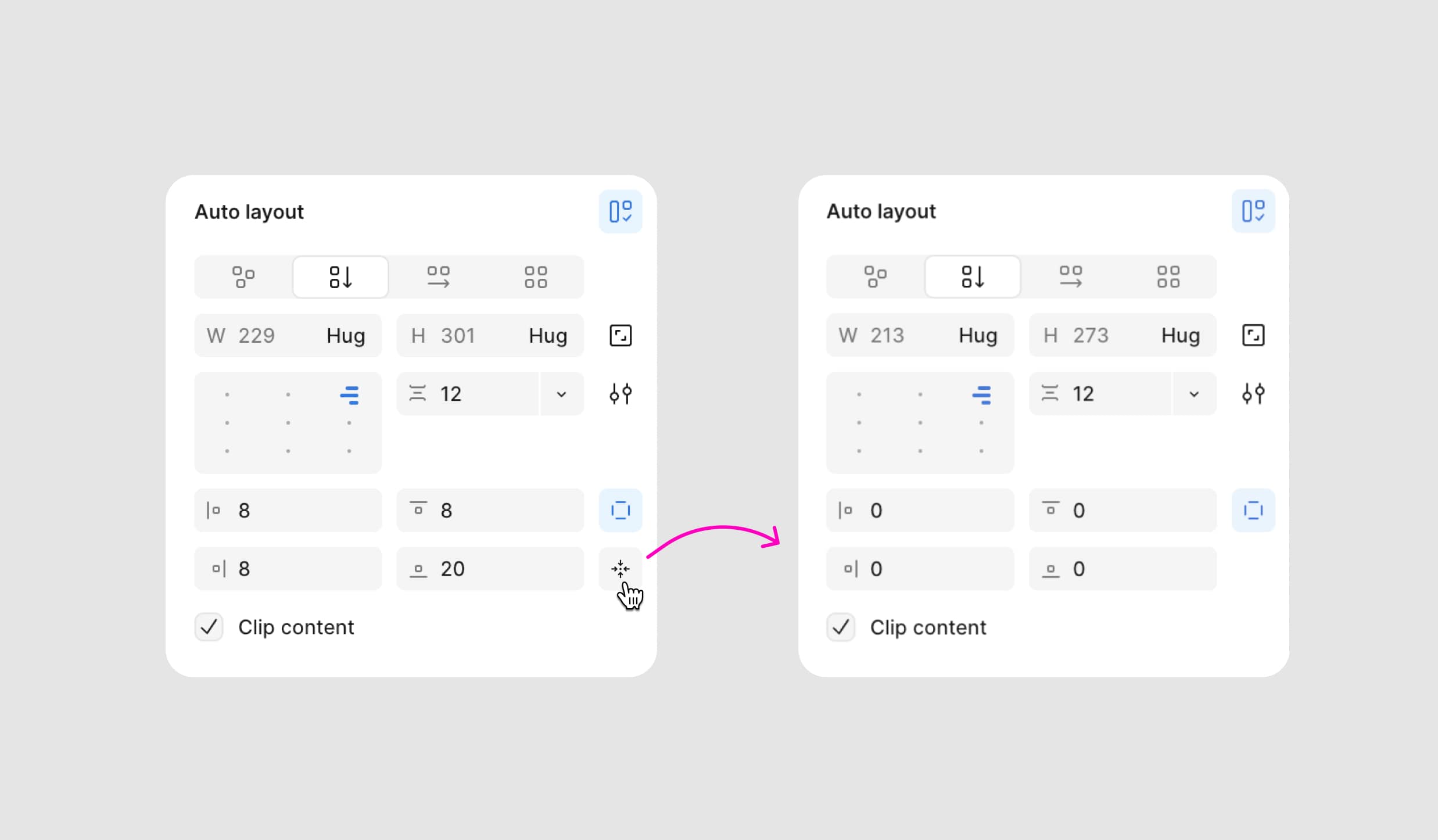
A quicker way to reset paddings in Figma
Sometimes I need to quickly remove all paddings in Auto Layout to start fresh. And every time, it feels a bit… slow.
You have to click into each field — top, right, bottom, left — and manually set them all to zero. And if the paddings were set using variables, it’s even worse — you first need to detach the variable, type in a new value, and hit Enter to apply it.
It’s such a tiny thing, but it breaks the flow.
So I thought: what if there was a small “Reset paddings” button that clears everything in one click? No typing, no extra steps — just hit reset and move on.
A small tweak, but it saves seconds every time — and those seconds add up when you’re deep in design.